Web Development


Project #1

Master/Slave Component Script
Problem

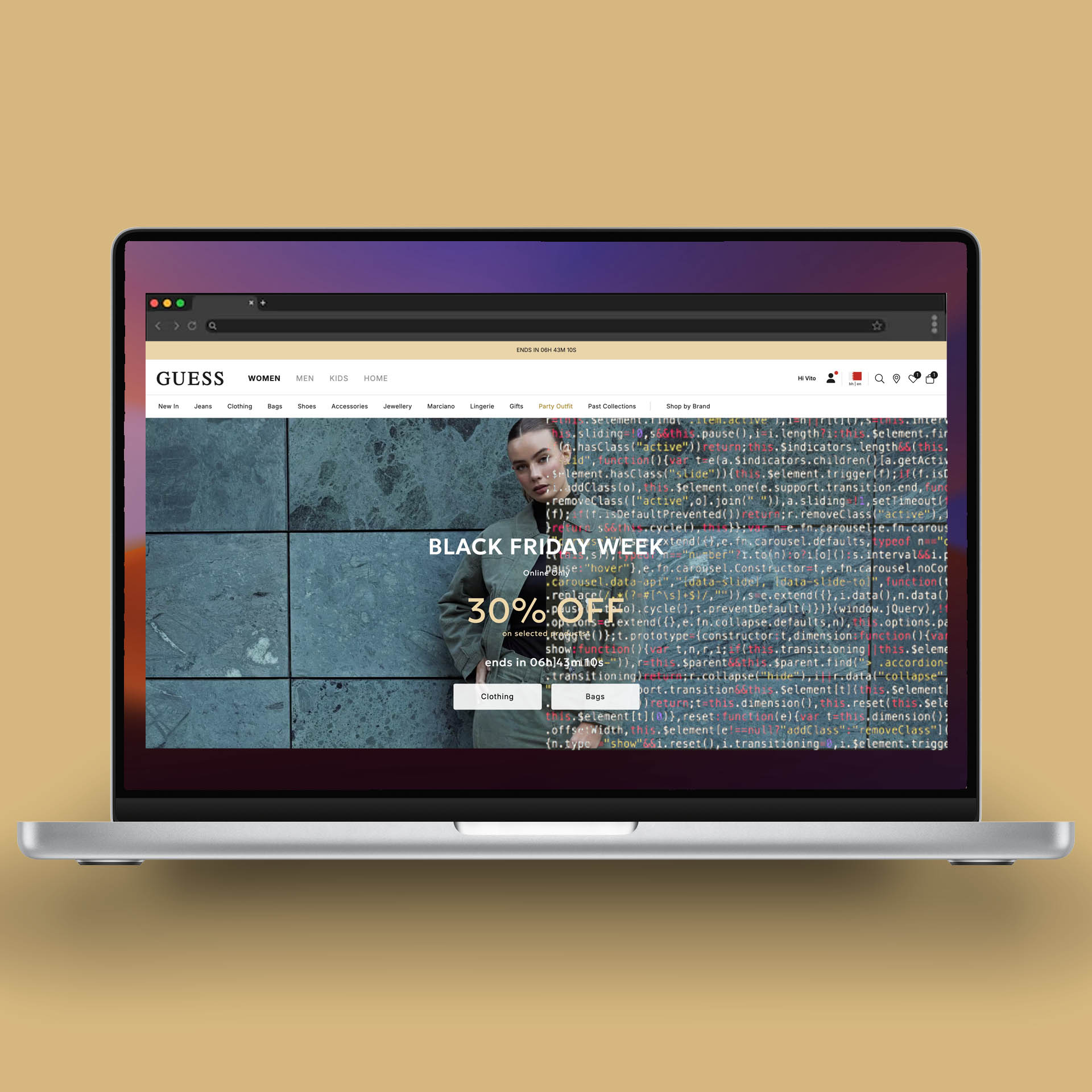
When launching a promotion—whether open or closed—multiple assets need to be deployed across the site: a homepage banner, category banners (potentially across different categories), messages in Product Listing Pages (PLP), Product Detail Pages (PDP), and Shopping Bag. This process required extensive manual work in SFCC and other CMS platforms, creating bottlenecks and increasing the risk of inconsistencies.

Solution

I introduced the Master/Slave component pattern to GUESS, inspired by advanced JavaScript frameworks like React. The architecture consists of a master component that hosts all necessary configurations and multiple slave components that simply check for the master's presence and retrieve information from it to display. By updating a single asset, all related content across the site is automatically synchronized. Pretty neat, right?

Outcome

This implementation saves more than two hours per day, including time spent resolving issues. The centralized configuration eliminates manual updates across multiple components, reduces errors, and ensures consistency across all touchpoints. The workflow is now scalable and maintainable, with changes propagating instantly throughout the entire site.
Project #2

Language & Country Management

Problem

SFCC's native approach to delivering content differentiated by language and country relies on the integrated localization system, which requires uploading an HTML content asset and then duplicating it for each language-country combination to manage. This process is time-consuming, error-prone, and creates maintenance overhead when updates are needed across multiple markets.

Solution

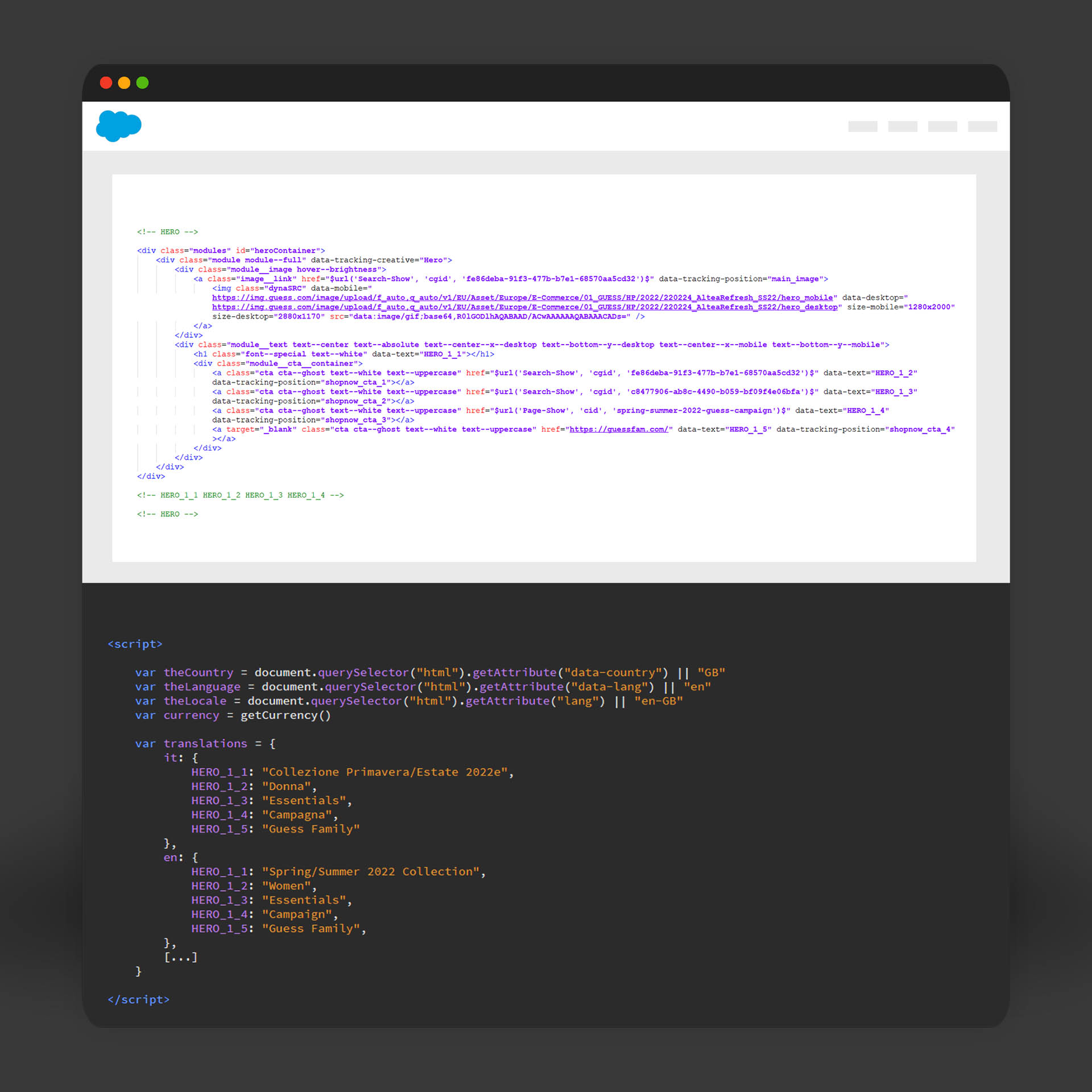
I created a single reactive template that adapts to both language and country. I worked with the core development team to add data-lang, data-country, and data-currency attributes to the HTML tag. This enables a single HTML file with JavaScript that dynamically manages language and content based on the current country and language context. Simple, right?

Outcome

What previously took an hour just to upload a single content asset now takes 2 minutes. The centralized template approach eliminates duplication, reduces maintenance complexity, and ensures consistency across all markets. Updates propagate instantly across all language-country combinations without manual intervention.

Project #3

Survey Maker Marketing Cloud

Problem

Sending surveys from Marketing Cloud can be complex for business teams. The process requires creating a Cloudpage with HTML, CSS, and JavaScript that sends customer responses to a SFMC Data Extension. When you need to send another survey? You have to customize the HTML, modify the Data Extension, and rebuild everything from scratch. A nightmare.

Solution

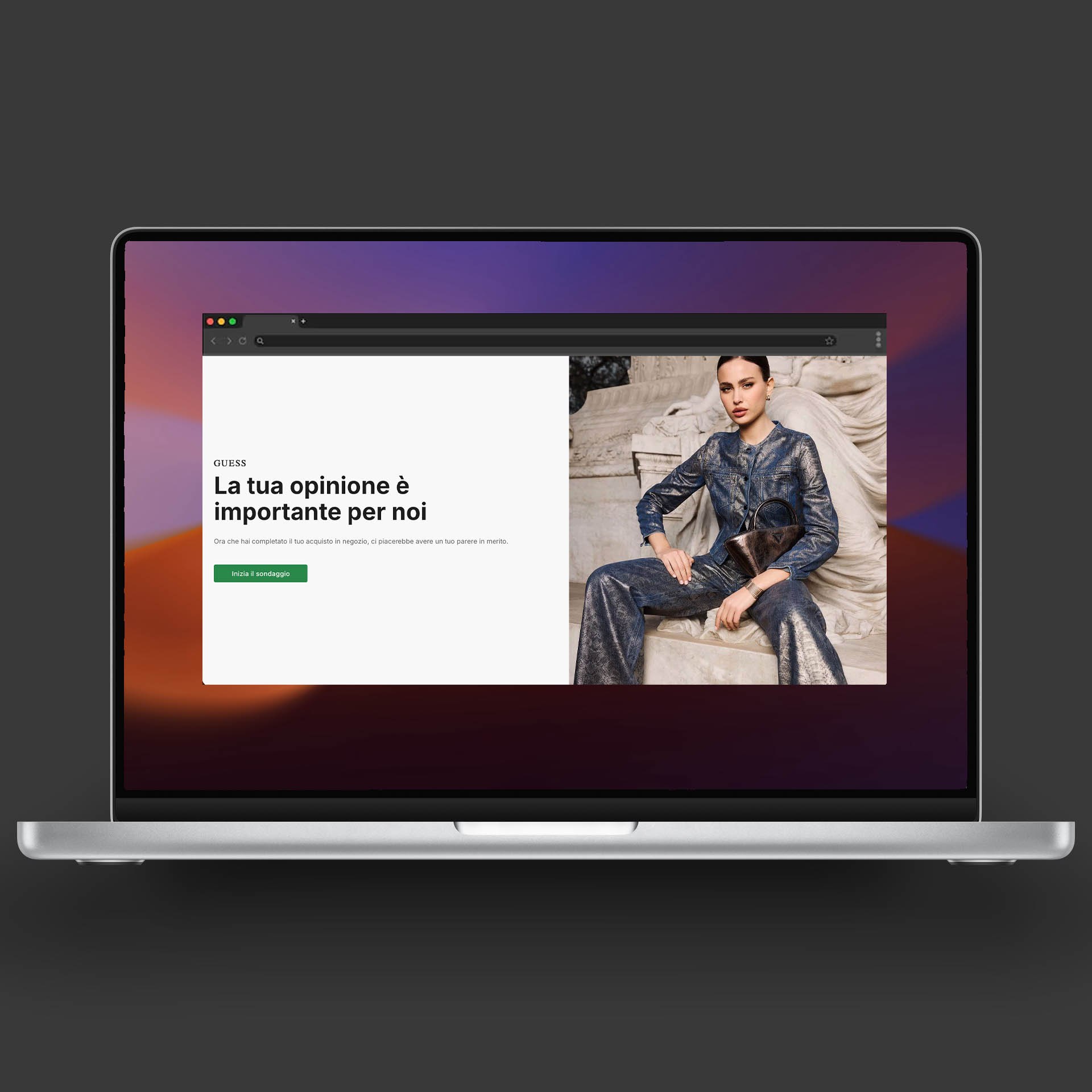
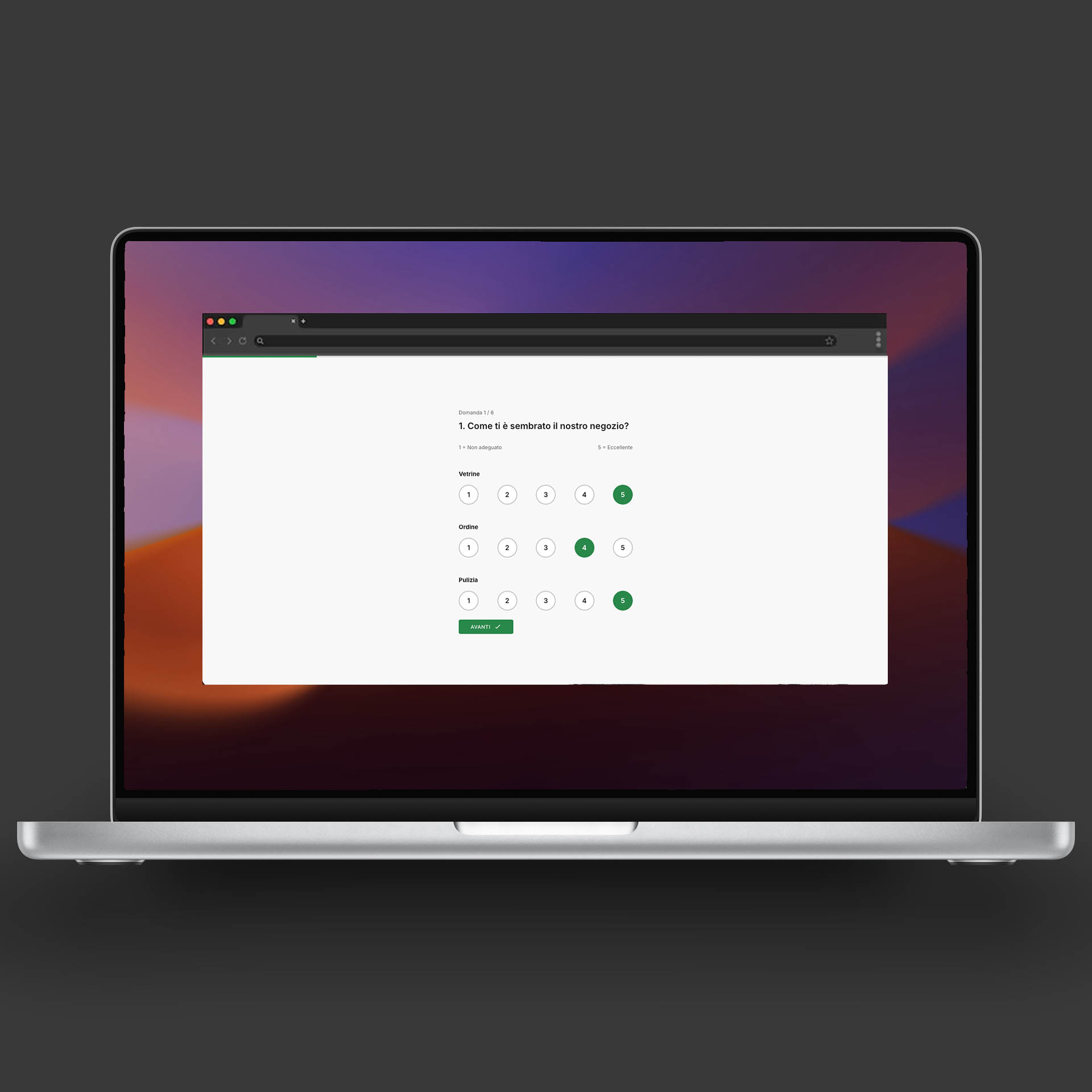
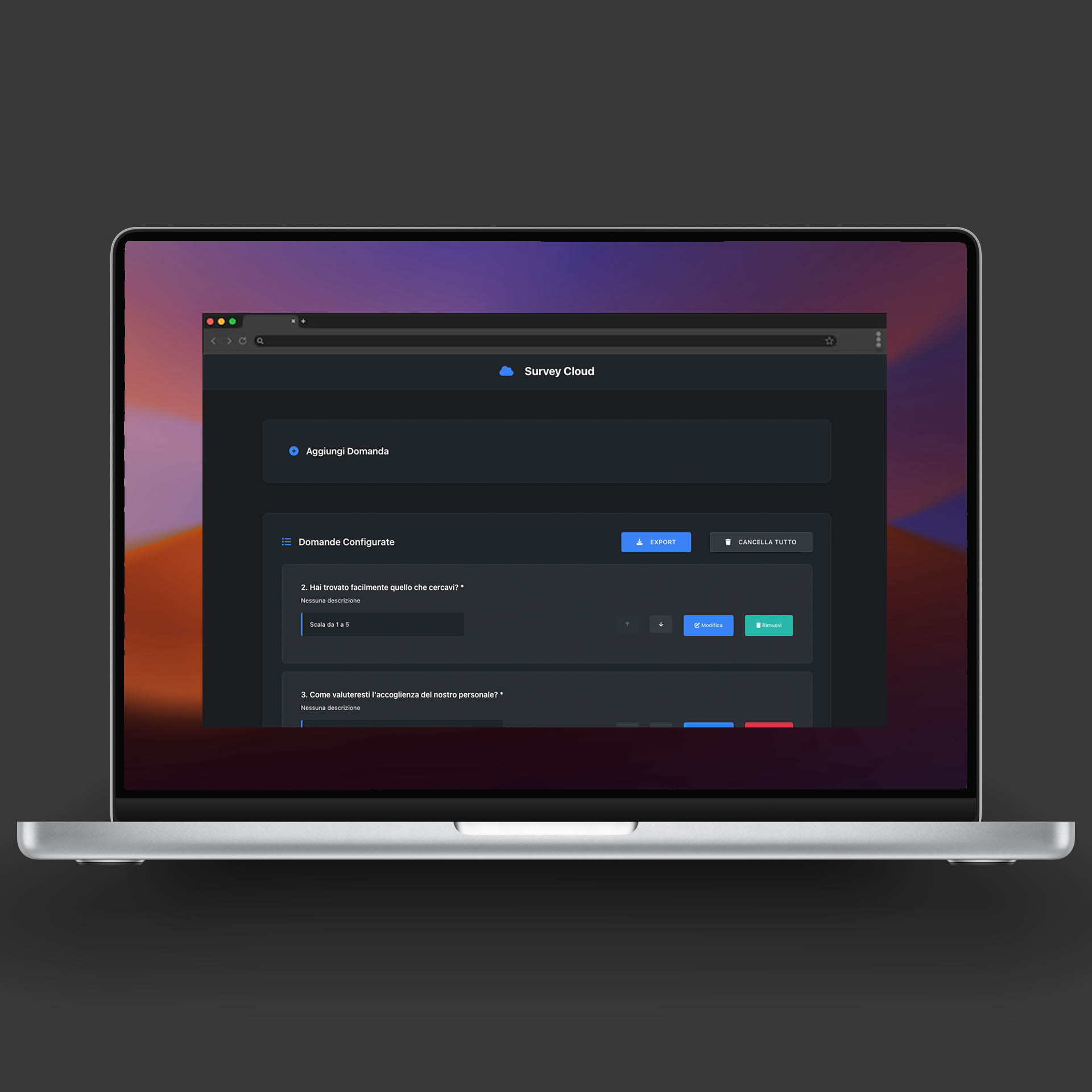
I built an application composed of a generator and a frontend. In the generator, users can add questions and select a response template from multiple options: multi-choice, single-choice, open-ended questions, Likert scales, multi-Likert, and more. The system exports a configuration file that can be imported into a Marketing Cloud folder. And that's it! The frontend automatically adapts by reading the configuration file—no manual frontend modifications required.

Outcome

What previously required a full week of work to send a survey now takes just a few hours (you still need to test, of course!). The configuration-driven approach eliminates repetitive coding, reduces errors, and empowers business teams to create and deploy surveys independently without developer intervention.

Project #4

ABTasty Antiflickering

Problem

A/B tests that require heavy transformations and loading new images—such as changing images in Product Listing Pages (PLP) or homepage—often cause flickering when modifications are injected directly via ABTasty. This flickering occurs because ABTasty's JavaScript executes after the page starts loading, creating a visible delay where users see the original content before the test variant is applied. For complex experiments that would typically require server-side A/B testing, this client-side approach creates a poor user experience.

Solution

I developed a cookie-based workaround that eliminates flickering completely. Instead of injecting modifications directly through ABTasty, I use ABTasty to inject a cookie with the test name. On the site side, I listen for ABTasty's tag, and if the session has an active experiment, I read the cookies and inject the modifications directly from the frontend before the page renders. This approach ensures that changes are applied synchronously during page load, eliminating any visible flickering or content shift.

Outcome

This workaround completely eliminated flickering, even for the most complex A/B tests that would have normally required server-side implementation. The solution enables complex experiments—including image replacements, layout changes, and heavy DOM transformations—to run smoothly without any visual artifacts. This approach provides the benefits of server-side A/B testing (no flickering, seamless experience) while maintaining the flexibility and ease of client-side testing tools.

Project #5

Content and DEM Generator

Problem

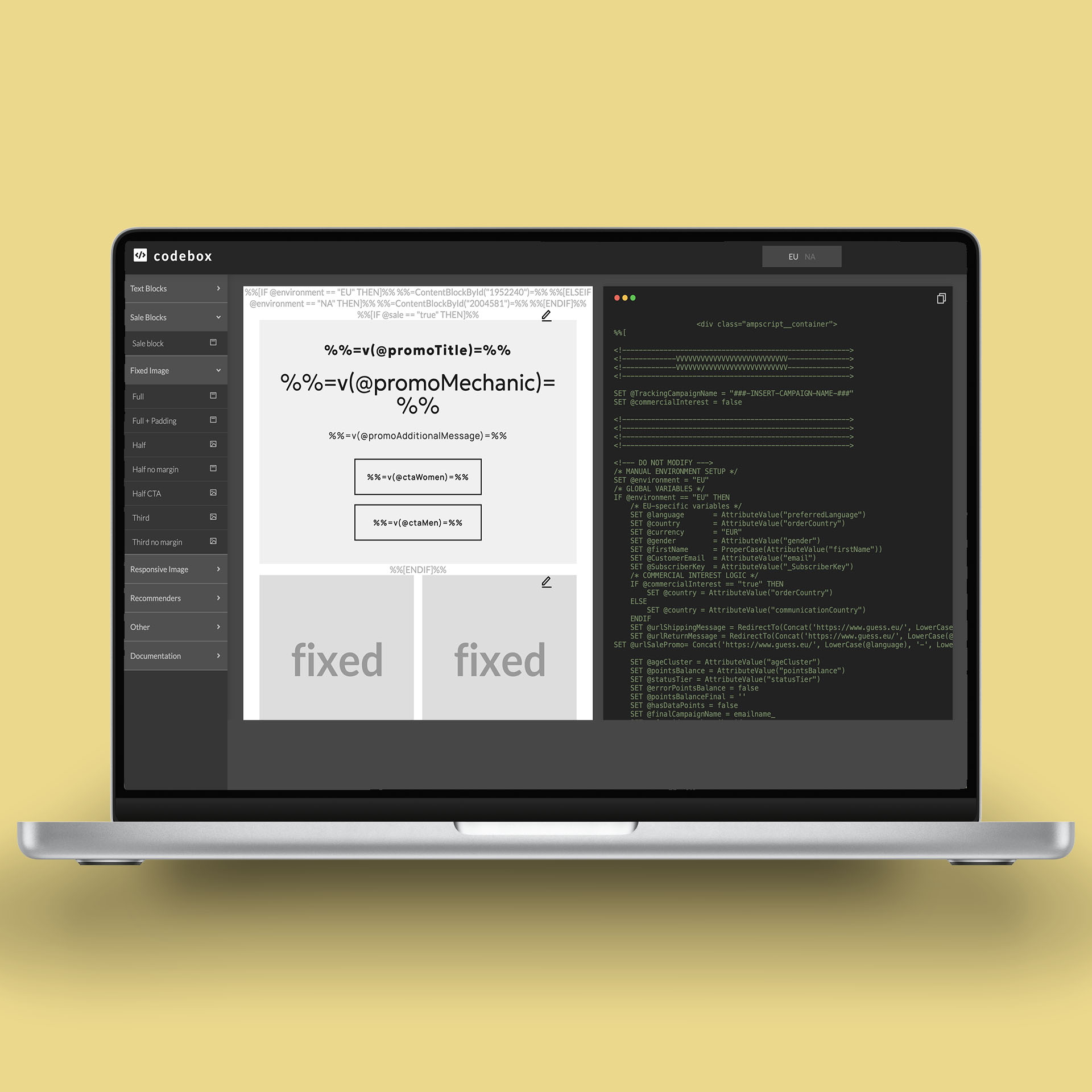
Creating DEMs (Digital Email Messages) and content at GUESS involved taking pre-configured templates from folders and using editors like VSCode or Brackets to manipulate them and generate the final code. Creating the skeleton structure of a DEM or digital content required at least an hour of manual work, even for experienced developers.

Solution

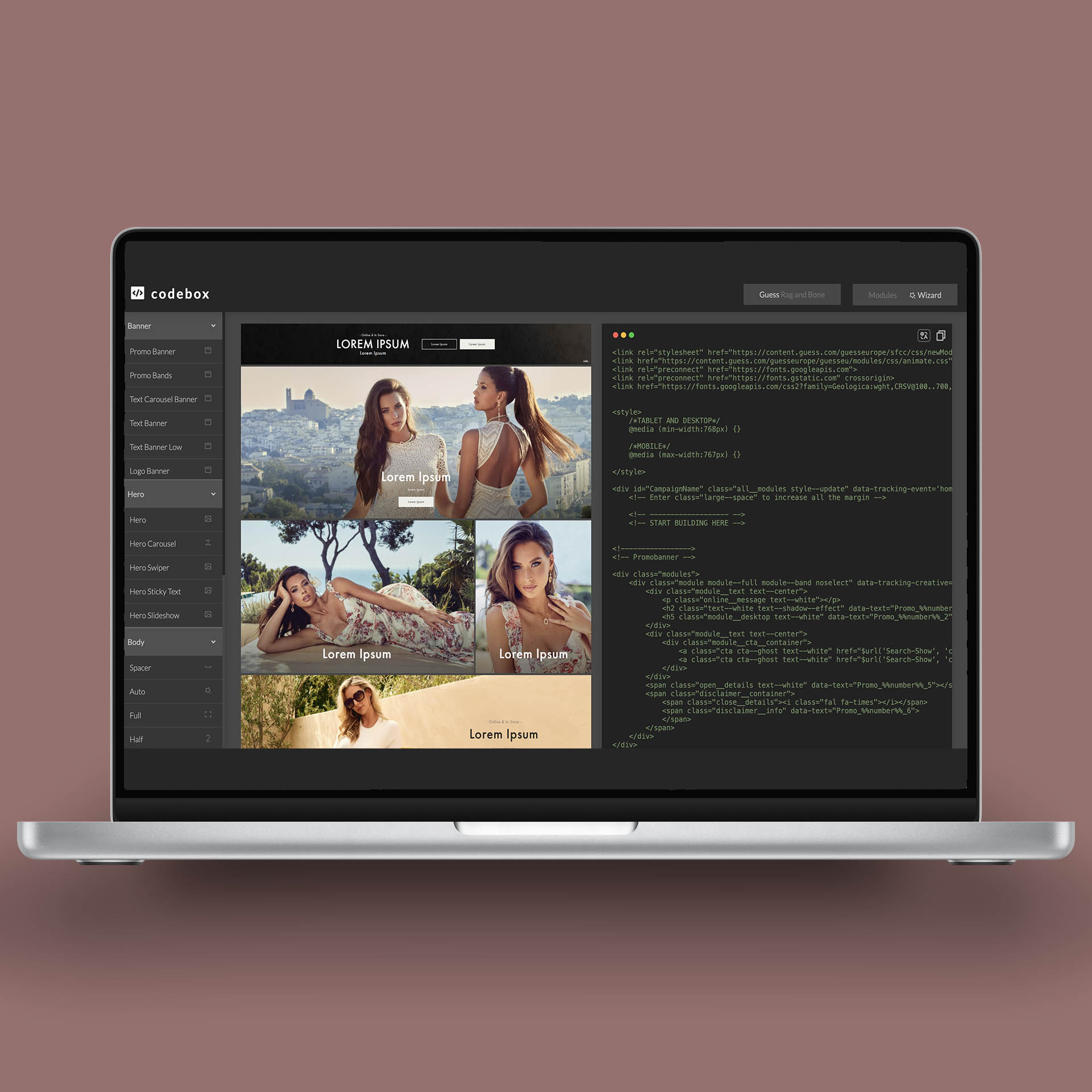
I created two generators that stored all existing templates from that period. Users simply click on the modules they want to add to compose the page skeleton. 5 minutes and you're all set! The generators handle template composition, code generation, and structure assembly automatically, eliminating the need for manual file manipulation and code stitching.

Outcome

The time to create a DEM or content skeleton was reduced from over an hour to just 5 minutes. The visual module selection interface made the process accessible to non-technical team members, while developers could still customize the generated code when needed. This dramatically accelerated content production cycles and reduced dependency on specialized technical skills.

Project #6

Codie Automator

Problem

This is the project I'm most proud of at GUESS, simply because it was the first one—first love never forgotten. Everything started from here. When I was hired, I was a Web Operations Specialist. Although I had a background in design and development, I had accepted a different position to move from Puglia to Northern Italy and have the opportunity to work with dignity. I found myself in a large, beautiful, exciting company, but what I had to do was boring. I would have had to spend entire days scheduling content.

The old GUESS website management system was a proprietary, slow, and cumbersome system: to upload a banner, even if the HTML was the same, you had to repeat the procedure once for each language and brand (10 languages and 3 brands at that time) and once for each page. The first week I spent 10 hours a day scheduling content. The second week I wanted to quit! I felt I had made a mistake accepting the position and that I couldn't do "manual" and repetitive work.

Solution

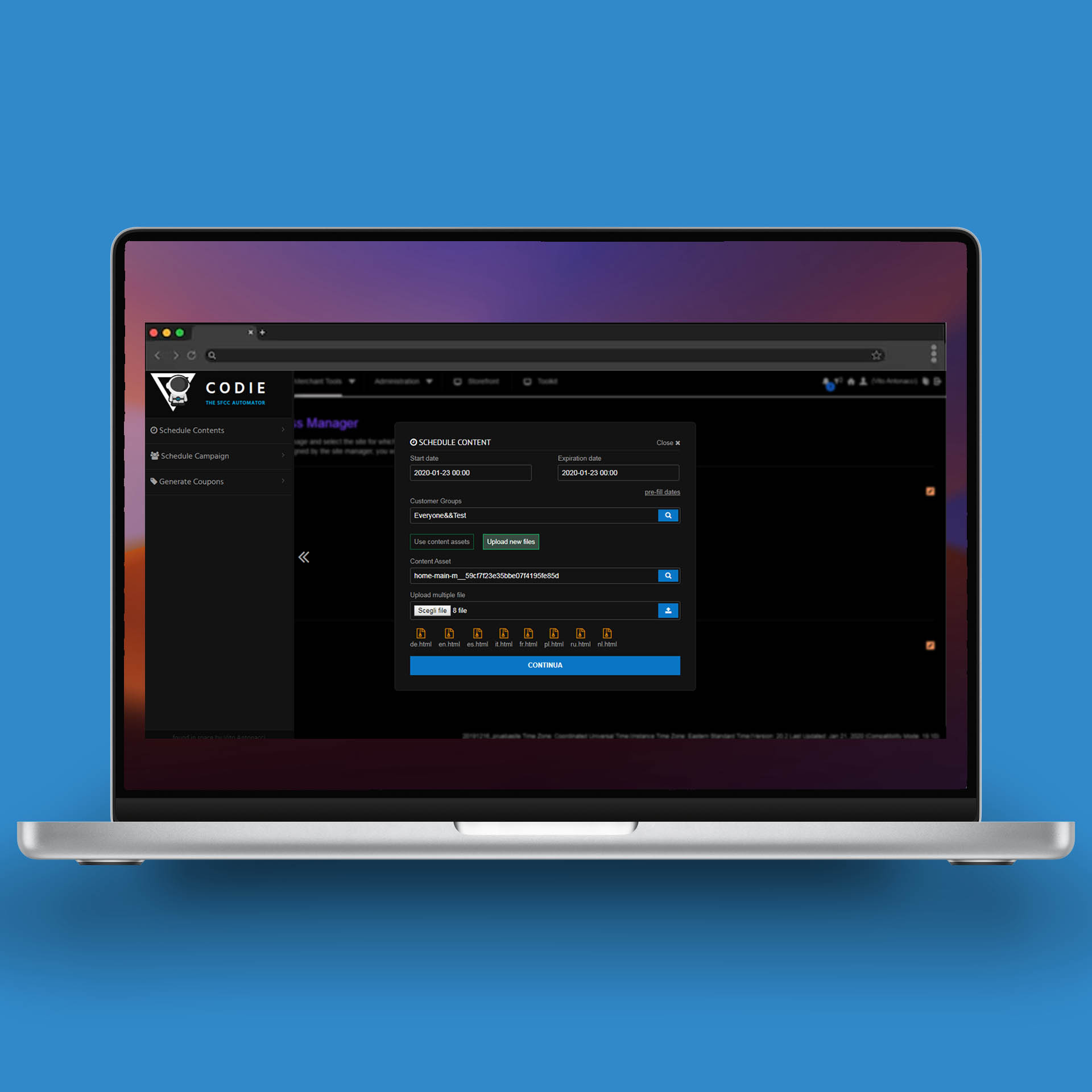
Then came the idea. In the second week, I thought: wait, I can automate this. In 2016, there weren't many automation tools available, so I created a simple but effective JavaScript system. A script injected via a Chrome extension that added a console where I could upload HTML files, set start and end dates, specify the URL, and click a fantastic "RUN" button that simulated exactly what I would have had to do manually (today you could do this with Selenium or other automation tools). When I ran the script for the first time and saw the screen moving on its own, I was moved XD.

The second optimization I made in the third week was switching to API calls to automate operations. I couldn't believe it—programming everything took one hour instead of 10. From here began my entire professional journey.

Outcome

Codie Automator transformed a 10-hour daily manual task into a 1-hour automated process, representing a 90% time reduction. More importantly, it freed me to focus on higher-value work, leading to the development of all subsequent automation and optimization projects. This was the foundation that enabled my growth from a Web Operations Specialist to a Senior Frontend Developer, proving that automation and innovation can transform not just workflows, but entire careers.

Project #7

Size Chart

Problem

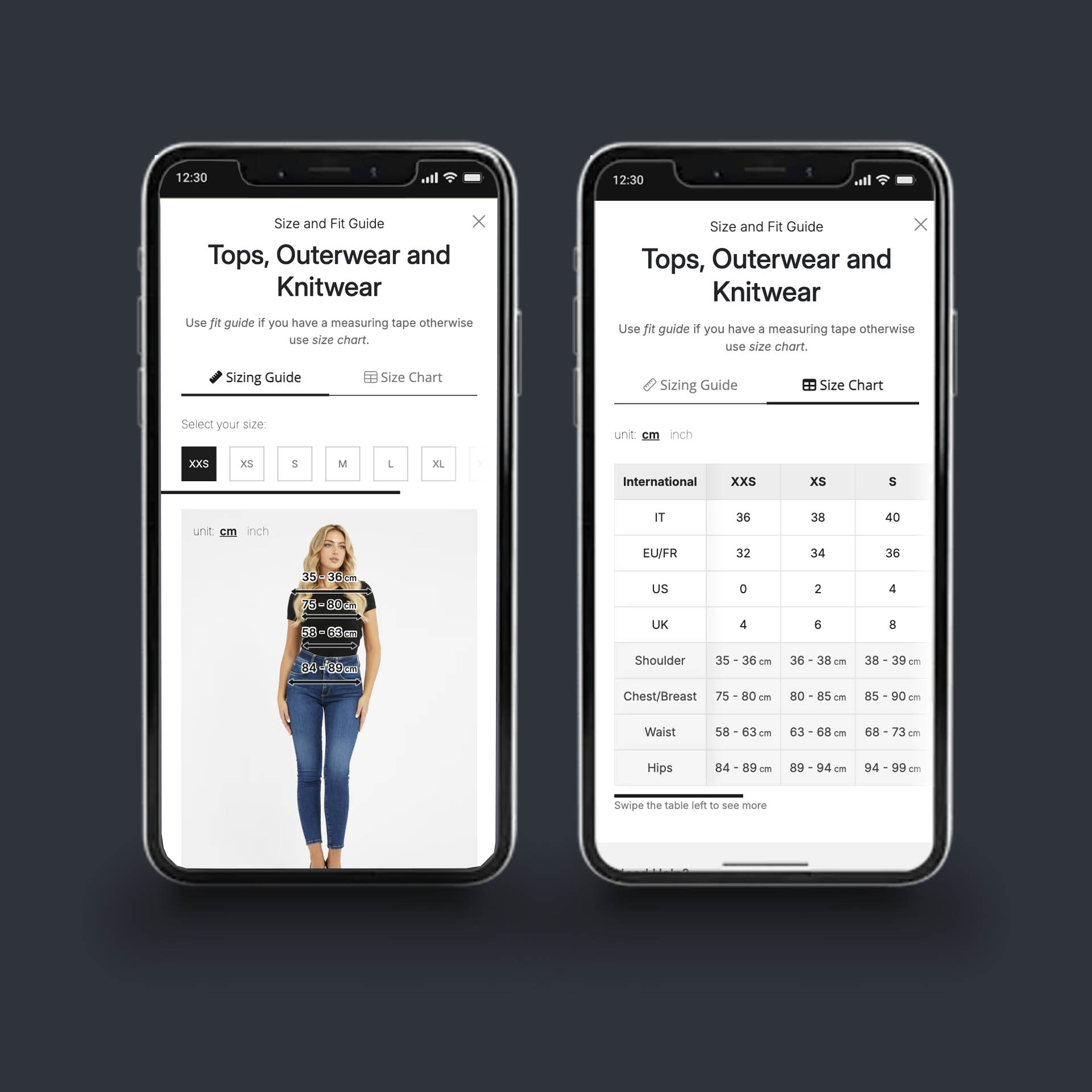
Size charts in SFCC were managed at GUESS using content assets. There were at least 100 different assets, each containing a size table to be referenced for a specific product. When I was first asked to modify the UI of the size charts, I realized the system was fundamentally flawed—maintaining and updating 100+ separate assets was unsustainable.

Solution

I rebuilt the entire system by separating data from the frontend. Content assets were reduced from 100 to 1 single asset. This unified file calls the correct configuration from a JavaScript file containing all size chart data. The system exports only the specific values needed by the frontend, keeping it lightweight and performant without unnecessary data overhead.

Outcome

The architecture transformation eliminated 99% of content asset duplication. Updates to size chart data or UI now happen in a single location, with changes propagating automatically across all products. The system is maintainable, scalable, and significantly reduces the risk of inconsistencies across the product catalog.